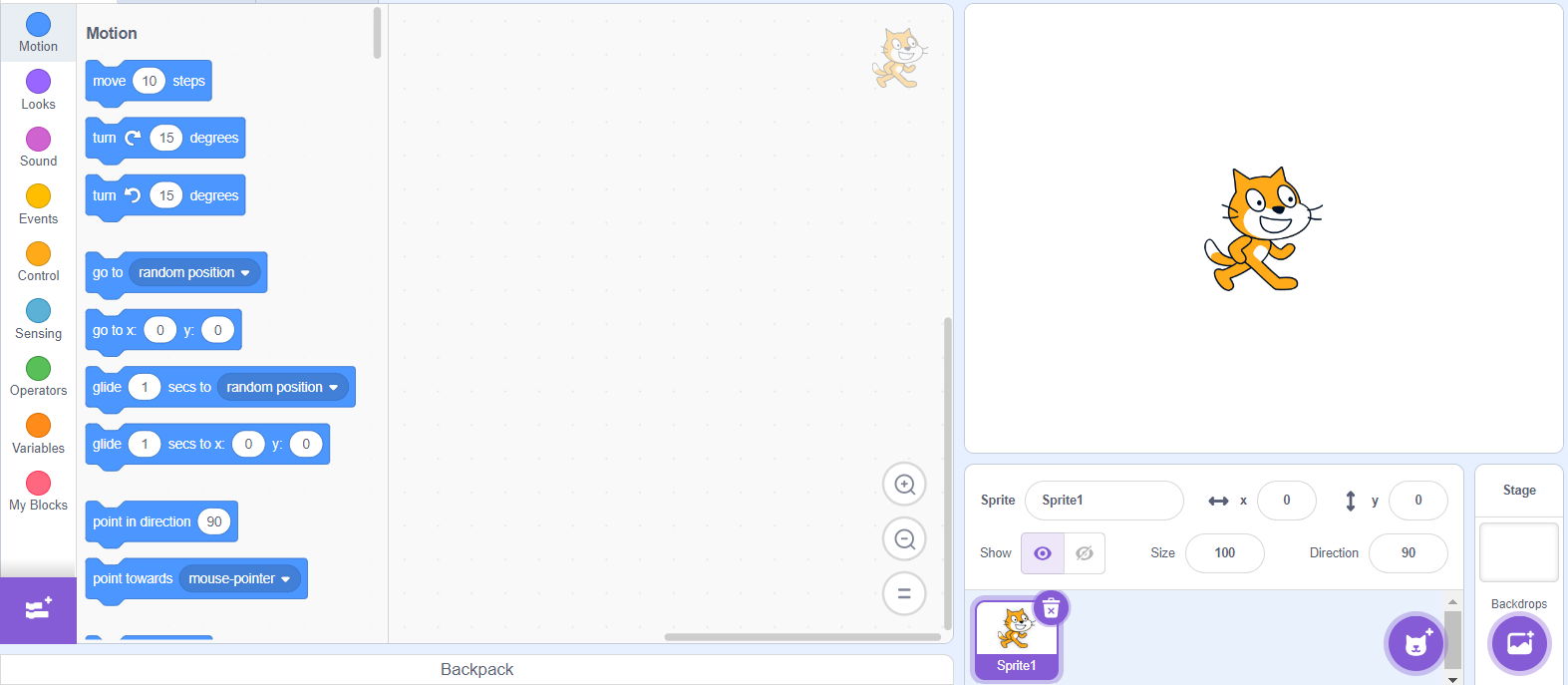
So. This is the point where you actually get to start coding! To start, load up the scratch website and make a new project. The blank project should look like this --->
Step 1: Choosing sprites.
After making the project, start by changing the cat sprite, as for our game we want something a bit more interesting. Choose any sprite you like, I will be going with a bear.
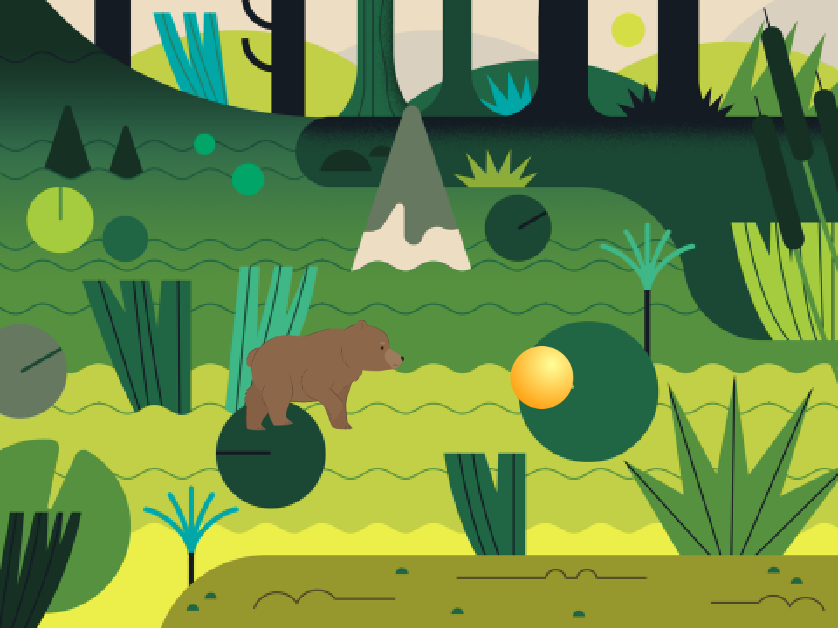
When you've chosen your character choose a fun background for your game, the white background we have now is pretty boring. I'm going with a swamp.
Finally, choose an object to be our bear's obstacle. This can be anything, but it is better to choose something round, as it is easier to see when you need to jump. I'll choose a basic ball, but you can do anything you find fun!
Step 2: Basic movement for our bear and ball.
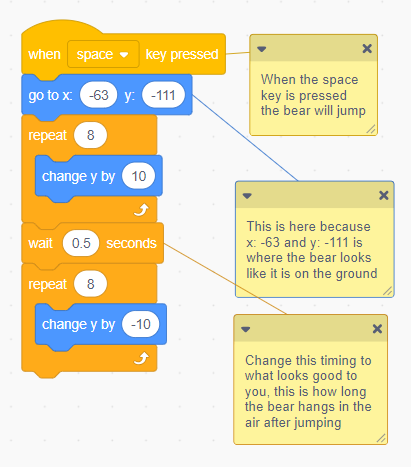
Now, it's time to code. Go into the character sprite and try to give it the ability to jump. I will put some code to show you, but try to figure it out yourself. (Hint: When we press a button we want the bear's height, or y-position, to increase. This will lift it, then we want the y-position to decrease until it is back to where it started.)
If you copy my code, it will help you if you look at it carfeully, and try and understand what each block is doing.
This jumping is all very cool, but our character need something to jump over. The next step is to add some code to the ball to make it move.
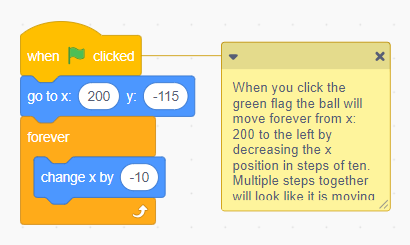
We want the ball to start at the right side of the screen, then slowly move its way to the left (Hint: decreasing x-position)
Step 3: Collision
We now have our bear and ball moving how we want them, but you may notice that when you don't make it over the ball and hit it, nothing happens. We don't want this in our finished game, as there is no challenge.
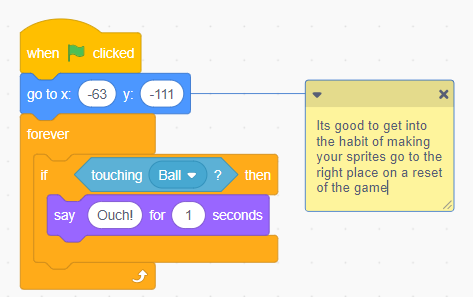
To fix this, we need to add some code to our Bear. In a separate block of code, we want the bear to -forever- be checking -if- it is touching the Ball. When this happens, try and make the Bear say "Ouch!" to let you know it has been hit.
Step 4: Resetting the ball
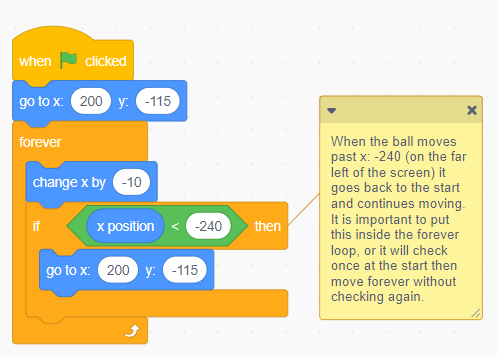
The finally step is to make the ball return to where it started from after passing the bear. We need to add this as right now the bear only gets one shot to jump over the ball, and to play more we need to click the green flag to restart, which is a pain to do.
The fix is a bit hard. We want it so when the ball passes a certain x-position (if x-position is less than a number ) it goes to the starting x-coordinate. This is a bit complicated, but if you look at what each bit of the code is doing it should make sense.
The end!
You should now know how to make a simple jumping game! The character can jump over a ball forever, saying Ouch! when it gets hit (Who's throwing these balls at this bear? Its a bit mean). This is a very good start on the journey of making the final game, which you can continue with by going to the "Year 8" tab of the navigation bar.
~~~~~~~~~~~~~~~
~~~~~~~~~~~~~~~
~~~~~~~~~~~~~~~