The final features
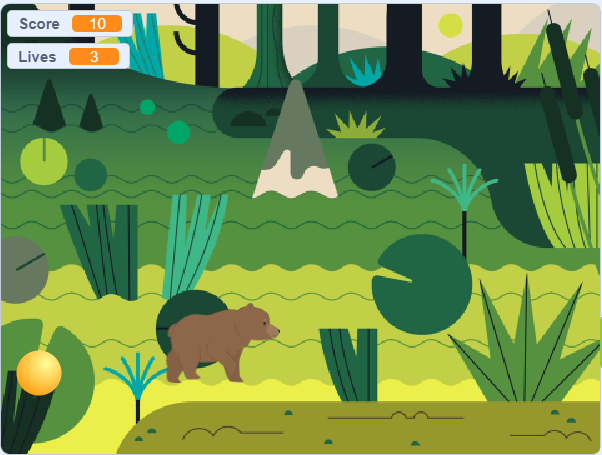
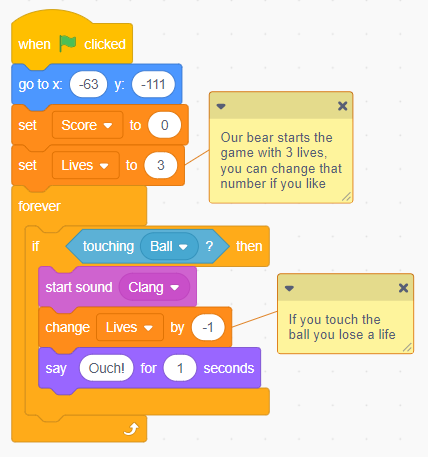
The final thing to add to our game is a life system. Any good game should have a way of keeping track of your character's health. Our jumping bear keeps getting hit by the ball, but besides a score decrease there isn't any permanent punishment. To punish our players further, we will create a new variable, called either "Lives" or "Health".
After creating this variable add a block at the start of your bear's code to set the lives to 3 (or 5, or 10, or 100, choose a number you think is good). Then, go to the collision code and make it so that when the bear hits the ball it changes the lives variable by -1 (or -2, -3, or -10, again this is very customisable.) Now, when the bear touches the ball there is a sound effect, he says "Ouch!", and then his lives decrease.
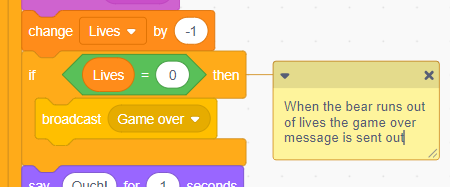
However, when his life reaches 0 nothing happens, and his lives go into the negatives. This is pretty bad, because something cannot be negatively alive, that just doesn't make sense. To remedy this we will use a new type of block, a broadcast block.
In the bear's code replace the block "if Score is less than 0 then set Score to 0" with "if Lives = 0 then broadcast(message1)". The broadcast block is in the events section of the code selection area.
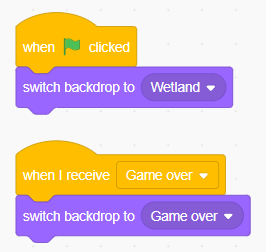
Now, what is a broadcast block? Basically, when a sprite broadcasts a message it just sends a signal out to every sprite and the backdrops. Using the block "When I recieve message1" you can have a sprite recieve the message. This allows sprites to interact.
A good use of this is making the background switch when our lives variable reaches 0. Go into your backdrop's code and add a "When I receive message1 block" (you can rename/ make a new message, I'll make one called "Game over")
Changing backdrops
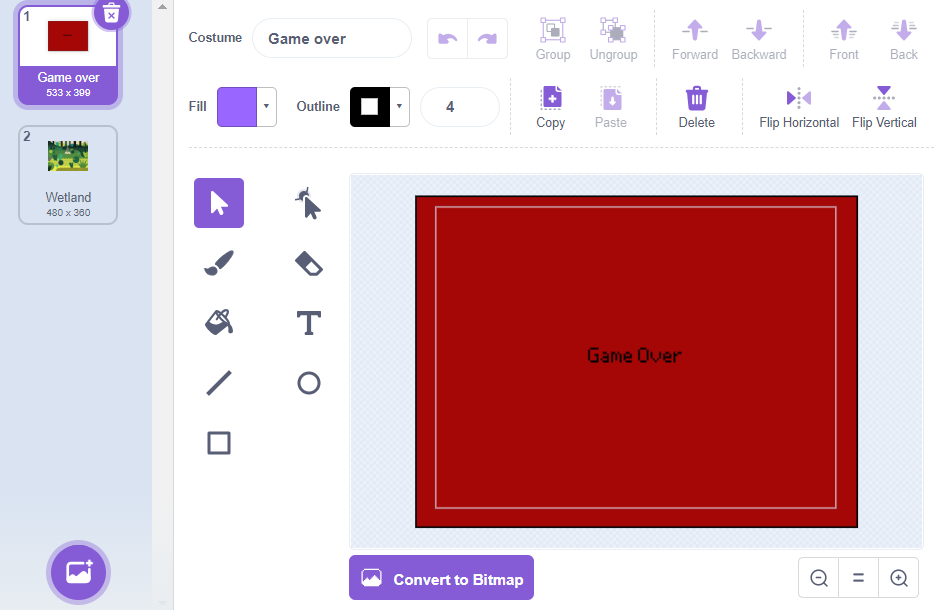
To change our backdrop, we first need to make a new one. Make a new one and make it a plain colour with some game over text. You will need to draw a square around the backdrop to fill it with colour.
When you've made it go back to code and under "When I recieve (Game over)", change the backdrop to your new background. Now, whenever your bear sees that the lives have gotten too low, it will tell the backdrops to change to a game over screen.
Hiding and showing sprites
Lastly, you need to change your code so that your bear, ball, and variables will hide when you hit game over. As it is now your game will continue even though the backdrop changes, which is something we need to fix.
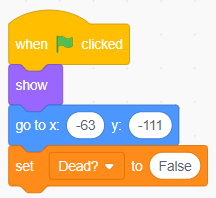
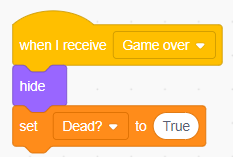
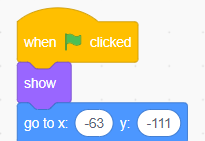
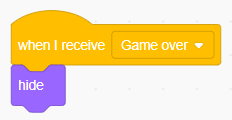
In your bear's code put the block "Show" below "When green flag clicked" and under a new "When I recieve Game Over" place a "Hide" block. When the game ends the bear sprite will hide, and no longer be visible. Then when the game is reset it will show itself again. Place a show block in the ball's code too, and there is a trick you can use to move the "When I recieve Game Over" block of code over to the ball quickly.
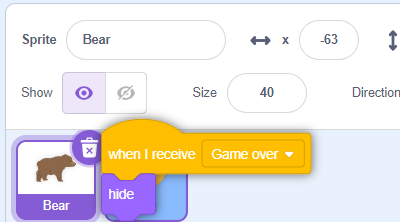
Drag the block of code that hides the bear to the sprite selection area, and drag it over the ball sprite (the ball sprite should do a little wiggle) then let go. The ball now has a copy of that piece of code!
Fixing score variable
The final step before this project is complete is fixing the score variable. When you die, your score keeps increasing even though you aren't playing any more. To fix that, make a new variable called "Dead"
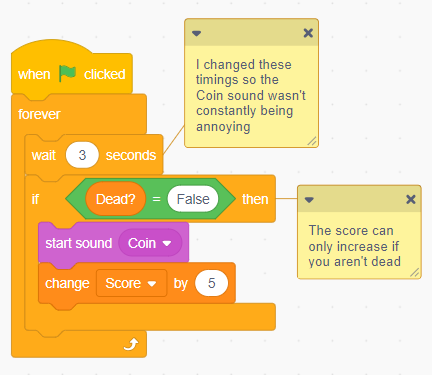
Set Dead to False (type "False" into where you would normally put a number) when the green flag is clicked. Then set it to True when Game Over is broadcast. Then go to the section of code for increasing score and place an "if Dead = False" around the "start sound" and "increase score" blocks.
Now when dead = false, and you are not dead, your score is allowed to increase. If dead ever gets set to true, and you are dead, then you can't have your score increase.
The End!
The game is finally complete! You could now share it and give it a good name, so other people can look at it. I hope you have enjoyed learning some more about scratch and game-making, and will go on to make many unique projects of your own!
~~~~~~~~~~~~~~~
~~~~~~~~~~~~~~~
~~~~~~~~~~~~~~~
~~~~~~~~~~~~~~~